 Français
 English
 Español
 Deutsch
 Português

Networks and roads
MeasureAll for Public works
Measure your networks, trenches, and road surfaces directly on the PDF plan. In the office or on the construction site, even without a mobile network once your plans are in the app.
Test for free: a complete file offered. Subscribe directly in the app.
The pipe layout accumulates point by point on the plan: the total length is displayed as it is added.
Your 3 measurements Keys
Linear and distances
Plot the route of a pipe or a border on the plan: the cumulative length is displayed as you go, ready for costing.
Volumes: cut, excavation, and fill
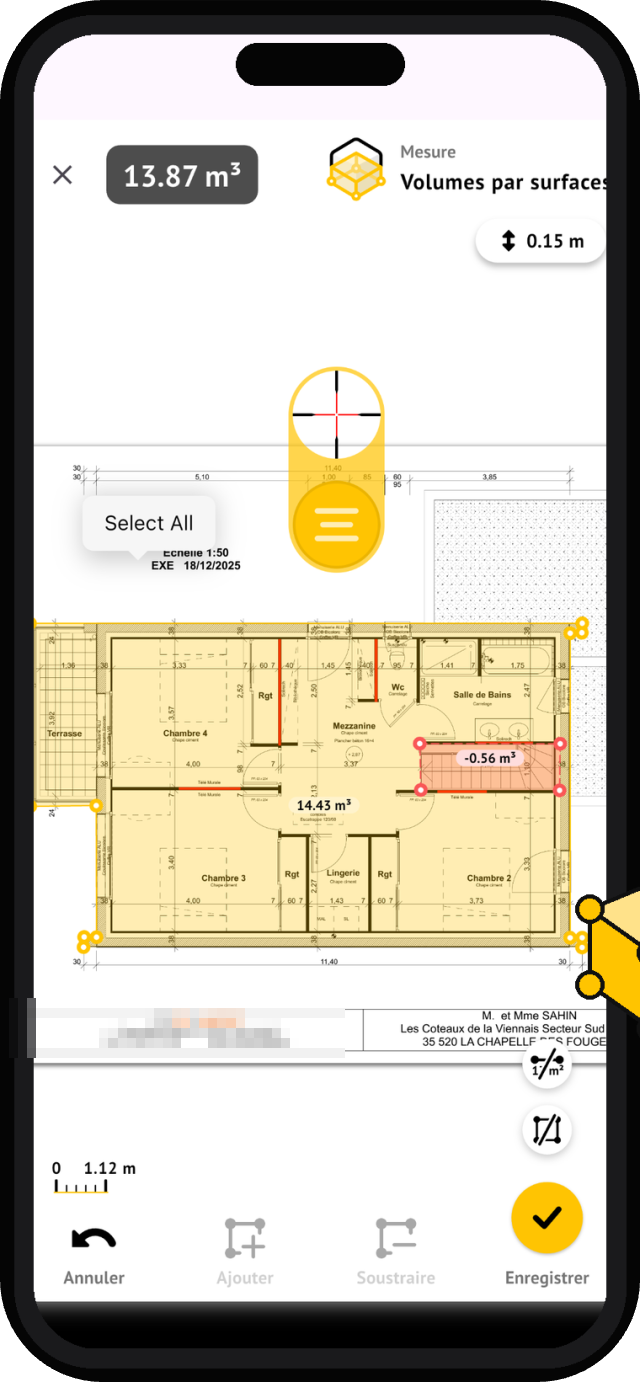
Linearly or by surfaces: trace the trench, indicate width and depth, MeasureAll calculates excavation and backfill volumes.
Surfaces
Follow the outline of a roadway, sidewalk, or platform: the surface is displayed on the plan, including island deductions.
From plan to trench
You receive an email with the project plan for a sewage network extension. Open the PDF in MeasureAll on your tablet, set the scale to a known dimension, then trace the pipelines: the length accumulates manhole by manhole. In a few minutes, you have the pipe lengths section by section, without printing the plan or getting out your measuring tape.
For trenches, draw the linear and specify width and depth: MeasureAll calculates excavation and backfill volumes. You can also start from a surface for platform earthworks. On a road plan, measure carriageways, sidewalks, and green spaces, including deductions. All quantities are added to the same measurement file, which you export to prepare your quote.
On a drinking water network renewal construction site, the site manager prepares the estimate in the office while the foreman checks dimensions in the field, even without a mobile network, once the plans are in the application. With consolidated annual licenses and a single activation code for the company, each water, sanitation, or roadworks team works with the same tool.
«Our site managers check network lengths and trench volumes directly on the plans, even in areas with no signal, as soon as the plans are in the application. Measurements are ready before returning to the office.»
Civil engineering site manager · App Store reviews
Equipping a public works team? Group subscriptions, activation codes, single invoice.
Request a business quoteYour networks are measured on the plan
A complete file offered for testing.
Questions about public works
How to set the scale on a network plan?
Open the PDF plan, then calibrate the scale by pointing to two points on a known dimension: a manhole side, a center-to-center distance, or a length marked on the plan. MeasureAll will then apply this scale to all your measurements. If the document has multiple scales, you can recalibrate at any time before measuring.
Can I measure on a long profile or in a mass plan?
Yes. MeasureAll opens any PDF file: site plans, as-built drawings, long profiles, or detail sheets. On a long profile with different length and height scales, adjust the scale to the axis you are measuring, or measure your lengths on the site plan.
How to equip multiple teams with licenses?
With bundled subscriptions: annual licenses, from a few licenses to several hundred, and a single activation code for the entire company. Each water, sanitation, or roads team installs the application and activates it with this code. Request a business quote from this page: response within 48 business hours.